How to Create an NFT Drop on WAX
Run a primary-sale drop with multi-stage rollouts, whitelists, per-wallet limits, and fair on-chain reveals.
A drop is a primary-sale mint. MintyStudio drops support multi-stage rollouts — for example a whitelist pre-sale followed by a public sale — each stage with its own price, timing, limits, and access rules.
Click + Create Drop from the Drops dashboard to open the 6-step wizard.
Step by step
- 1
Select Templates
Confirm drop.minty is authorized to mint for your collection, choose the collection, and pick which templates the drop will mint.
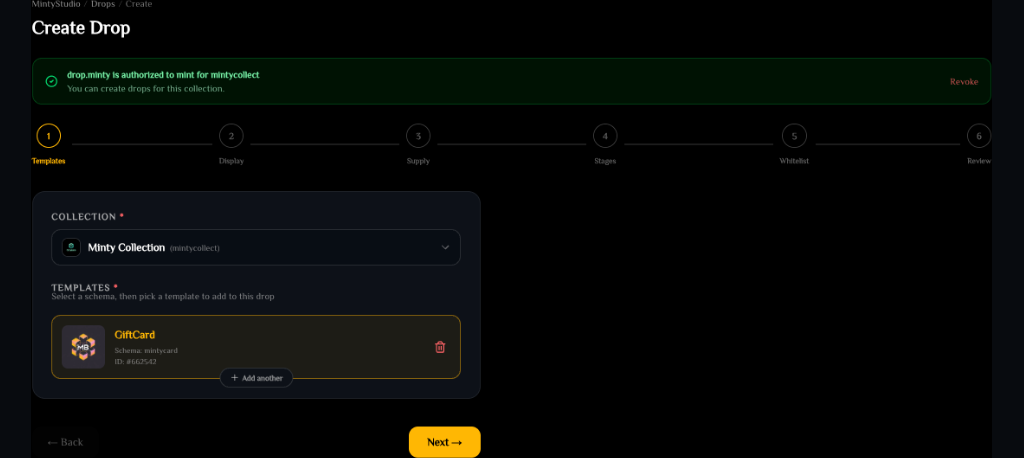
Drop step 1: select templates— tap to enlarge - 2
Display Info
Enter the drop name, a public description, and the display image (upload or IPFS CID).
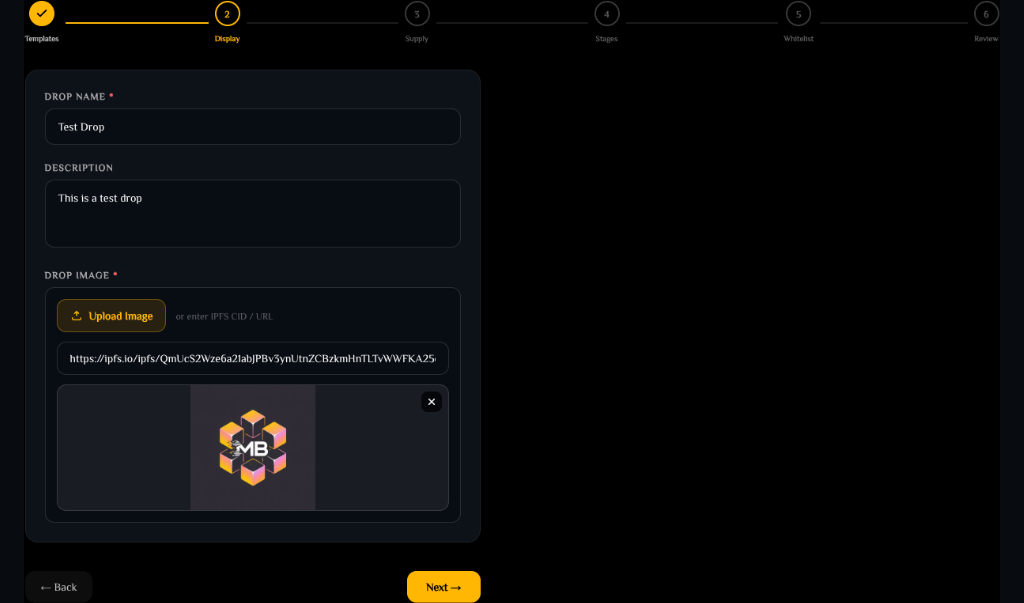
Drop step 2: display info— tap to enlarge - 3
Supply Settings
Set total supply (0 = unlimited). Optionally enable Use Oracle RNG for on-chain randomized minting, and set per-wallet claim limits and cooldowns.
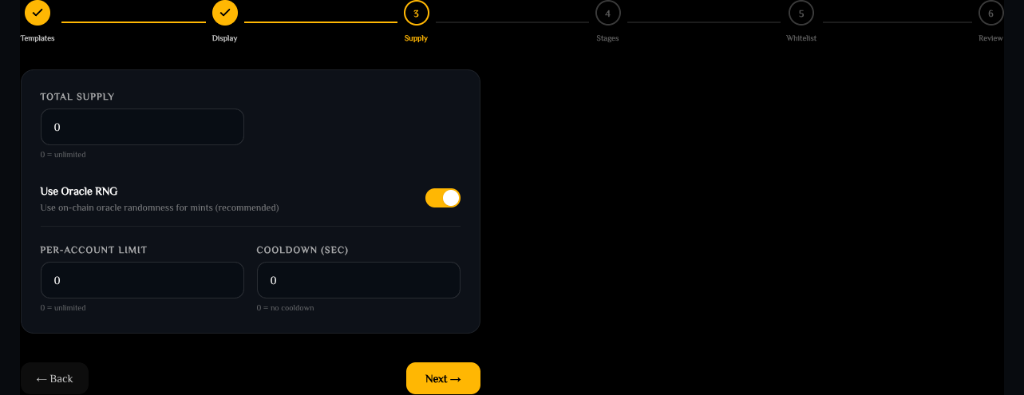
Drop step 3: supply settings— tap to enlarge - 4
Configure Stages
Add sequential sale rounds. Each stage has its own price & currency, start/end times, claim limits (per transaction, per account, or a stage cap), and optional whitelist gating.
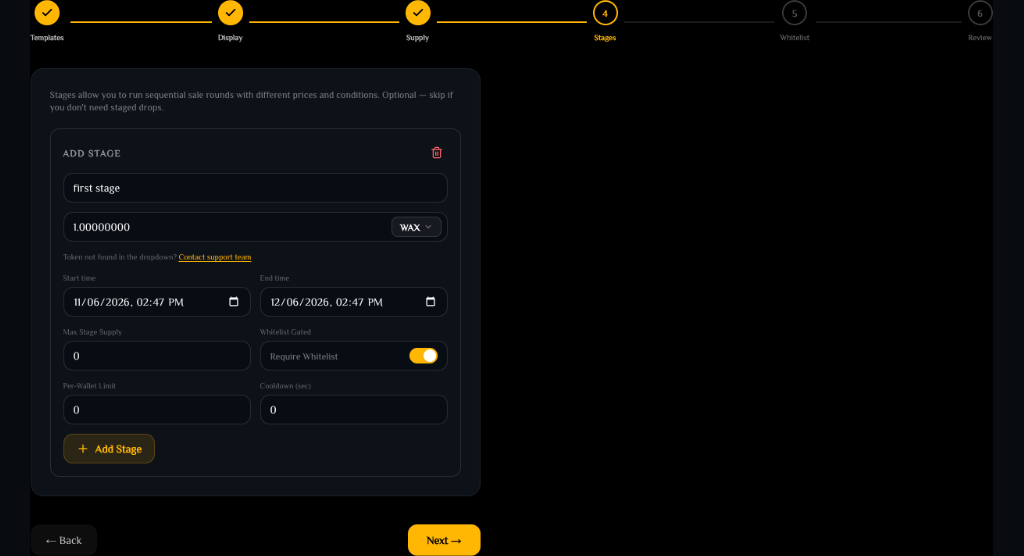
Drop step 4: configure stages— tap to enlarge - 5
Whitelist & Rules
Enable Require Authorization to limit claims to specific WAX accounts, or add NFT Ownership Rules that require claimers to hold specific assets at claim time.
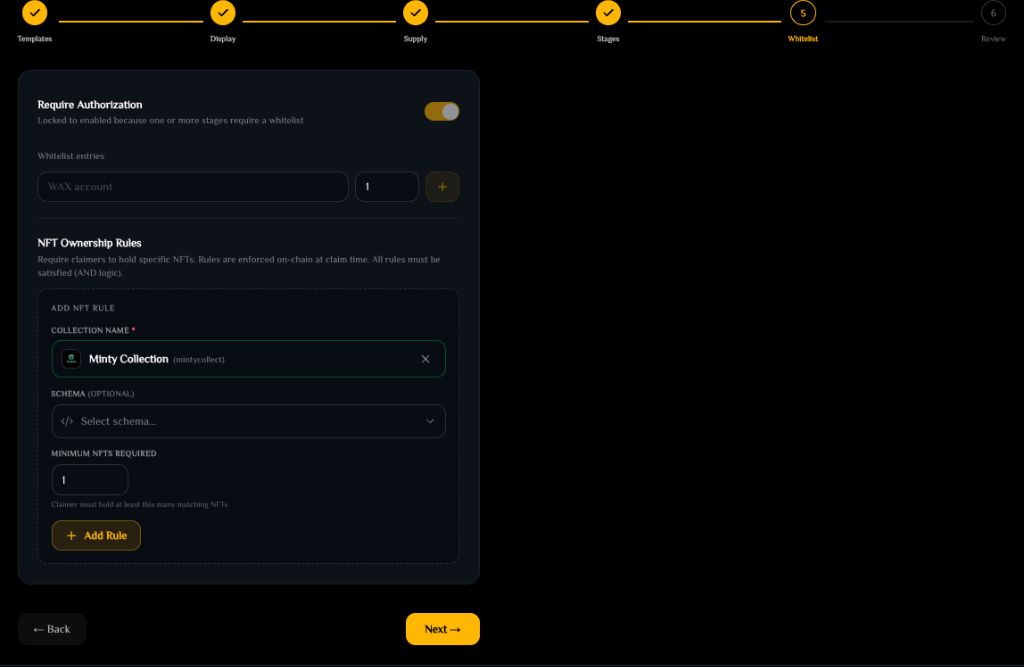
Drop step 5: whitelist and rules— tap to enlarge - 6
Review & Deploy
Verify collection, templates, supply, stages, and whitelists, then click Create Drop to sign and broadcast the transaction.
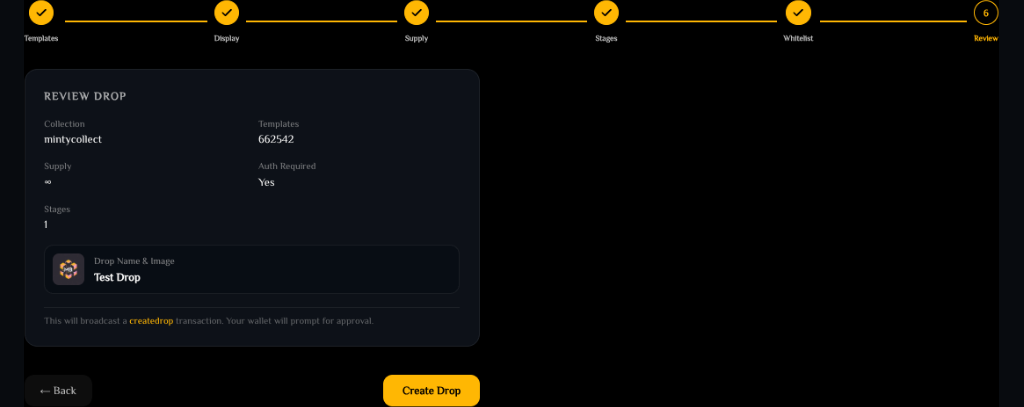
Drop step 6: review and deploy— tap to enlarge
RAM is required first
Before buyers can mint, deposit WAX into the Drop Contract to cover RAM — storing whitelist accounts and mint-tracking records uses on-chain memory. Manage this in the RAM section.
Claiming a live drop
Collectors claim from the marketplace under Drops → MintyBlocks → Drops. They open a Live drop, choose a quantity, and click Claim Drop Now to mint.
Ready to try it?
Open MintyStudio and start building on WAX.
Related guides
Looking for general questions instead? Visit the MintyBlocks FAQ · All MintyStudio guides