WAX NFT Schemas: Define Your NFT Data
Schemas are the data structure behind every WAX NFT — they define which fields and attributes your NFTs can have.
A schema is a data structure that defines what fields and attributes your NFTs can have. Every NFT minted on WAX belongs to a schema.
Common fields include name (string), img (ipfs image hash), video (ipfs), and rarity (string). Available data types include string, image/ipfs, integer types (uint8–uint64, int8–int64), float/double, and bool.
Step by step
- 1
Open the New Schema form
On your collection dashboard, select the Schemas tab and click + New Schema in the upper right.
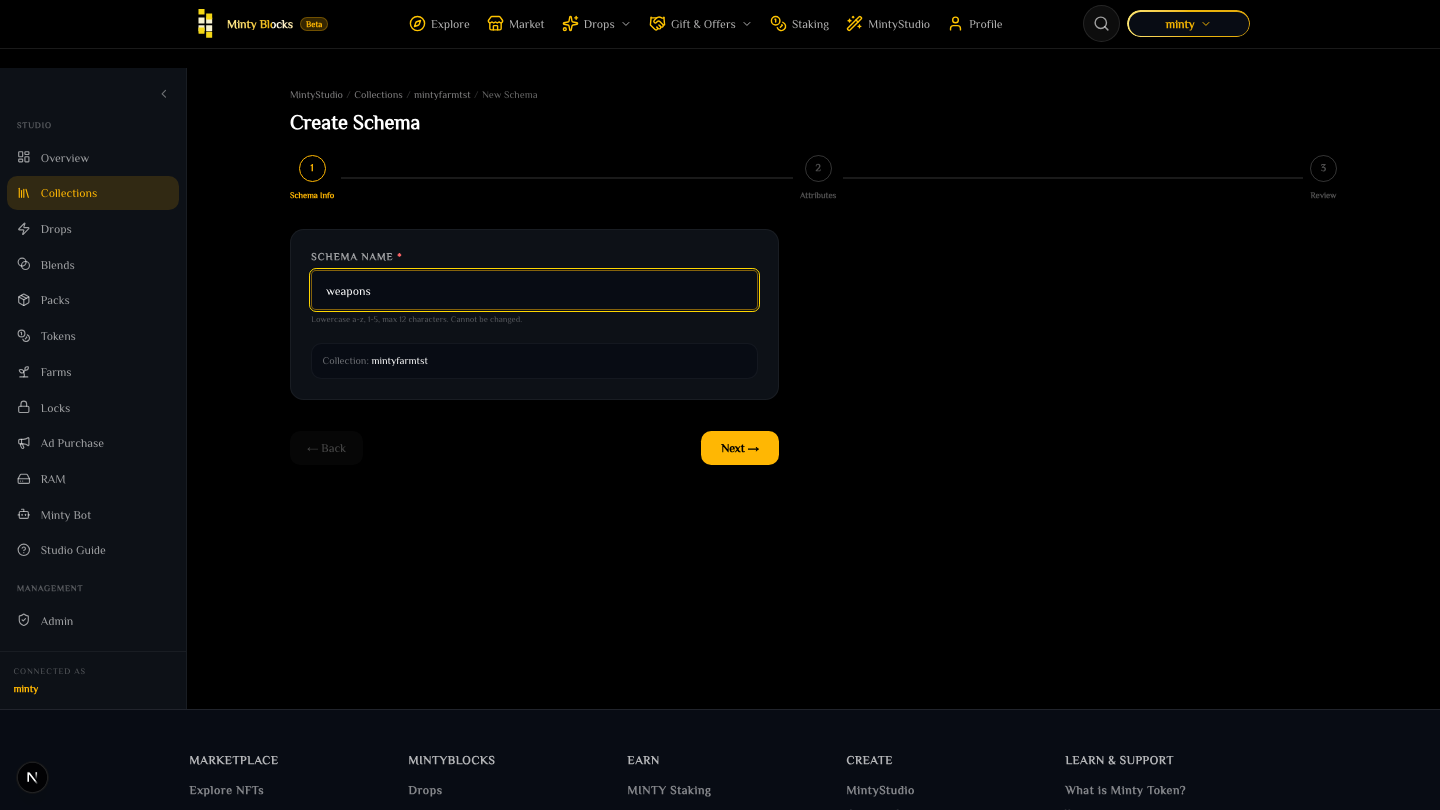
Schema list with New Schema button— tap to enlarge - 2
Configure attributes
Add each field name and pick its data type (string, ipfs, integer, float, bool). Add as many attributes as you need with + Add Attribute.
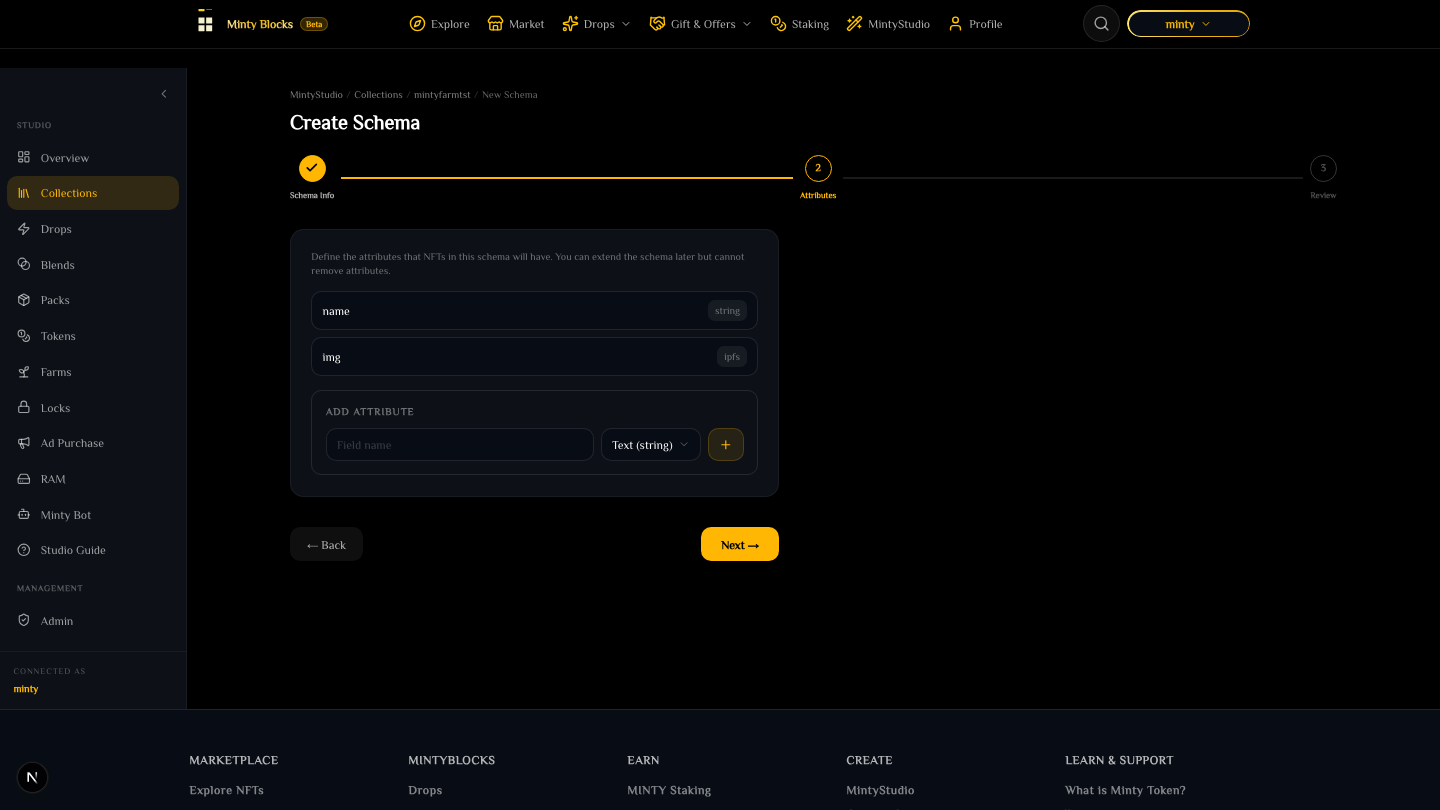
Schema attribute configuration— tap to enlarge - 3
Review & create
Check the schema name and attribute list, then click Create Schema to broadcast the createschema action to AtomicAssets on WAX.
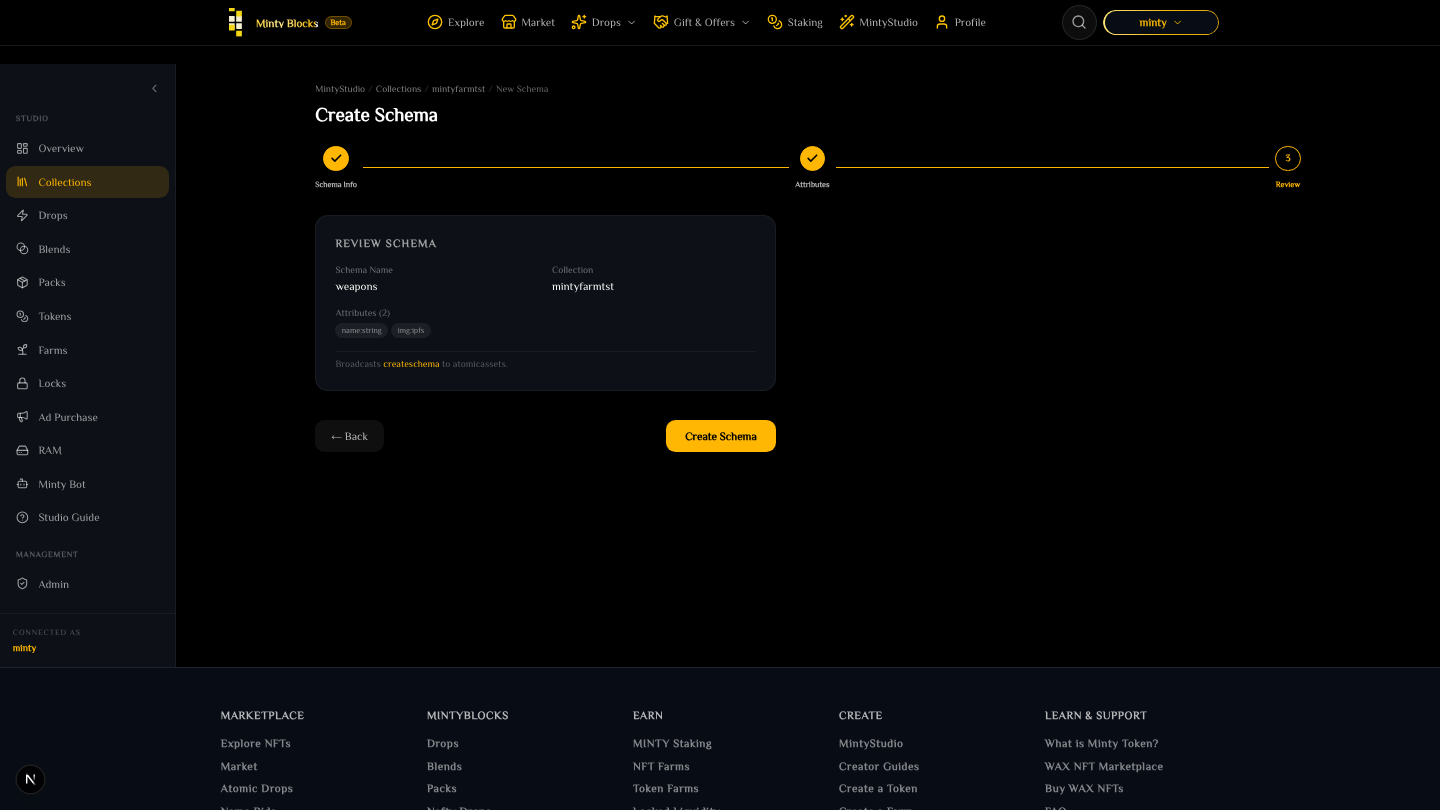
Review and create schema— tap to enlarge
Schemas are append-only
Once a schema exists on-chain, existing fields cannot be deleted and their data types cannot be changed. You can, however, append new fields at any time to expand your metadata format.
Ready to try it?
Open MintyStudio and start building on WAX.
Looking for general questions instead? Visit the MintyBlocks FAQ · All MintyStudio guides