How to Create a WAX NFT Collection
Create an AtomicAssets collection — your top-level brand on WAX — with a guided 5-step wizard.
A collection is your top-level brand identity on the WAX blockchain (for example, mintycollect). It groups related NFTs, sets the royalty market fee charged on secondary sales, defines authorized creators, and manages smart-contract permissions.
In MintyStudio, click + New Collection to open the guided 5-step setup wizard.
Step by step
- 1
Basic Info
Set the core identity. The Collection Name must be exactly 12 characters (lowercase a–z and digits 1–5) and cannot be changed after creation. Add a public Display Name, a Description, and the Market Fee — the royalty charged on secondary marketplace sales (maximum 15%).
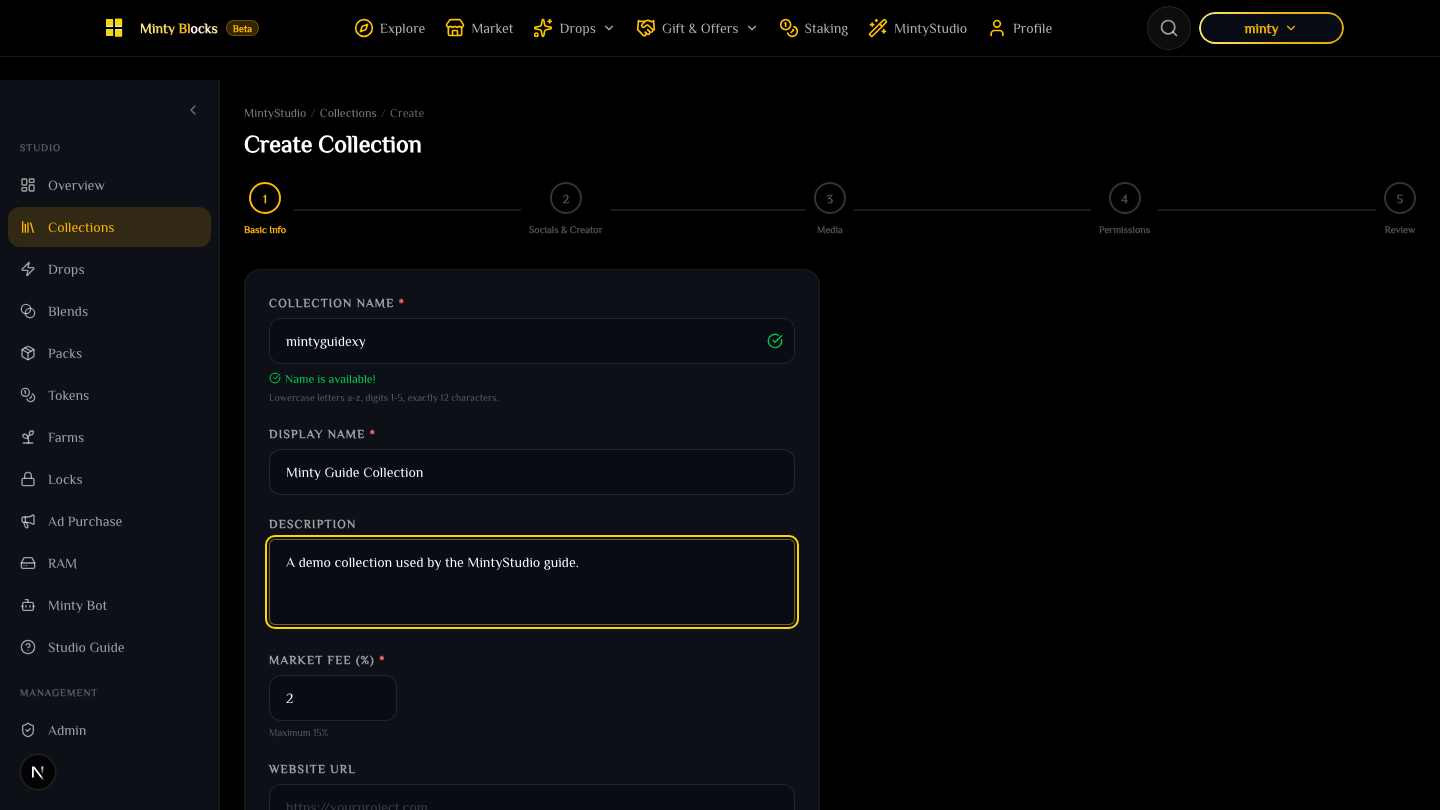
Collection wizard step 1: Basic Info— tap to enlarge - 2
Socials & Creator
Connect your brand presence: website, X/Twitter, Discord, Telegram, YouTube and more, plus optional Creator/Company info. These appear on marketplace pages to build credibility.
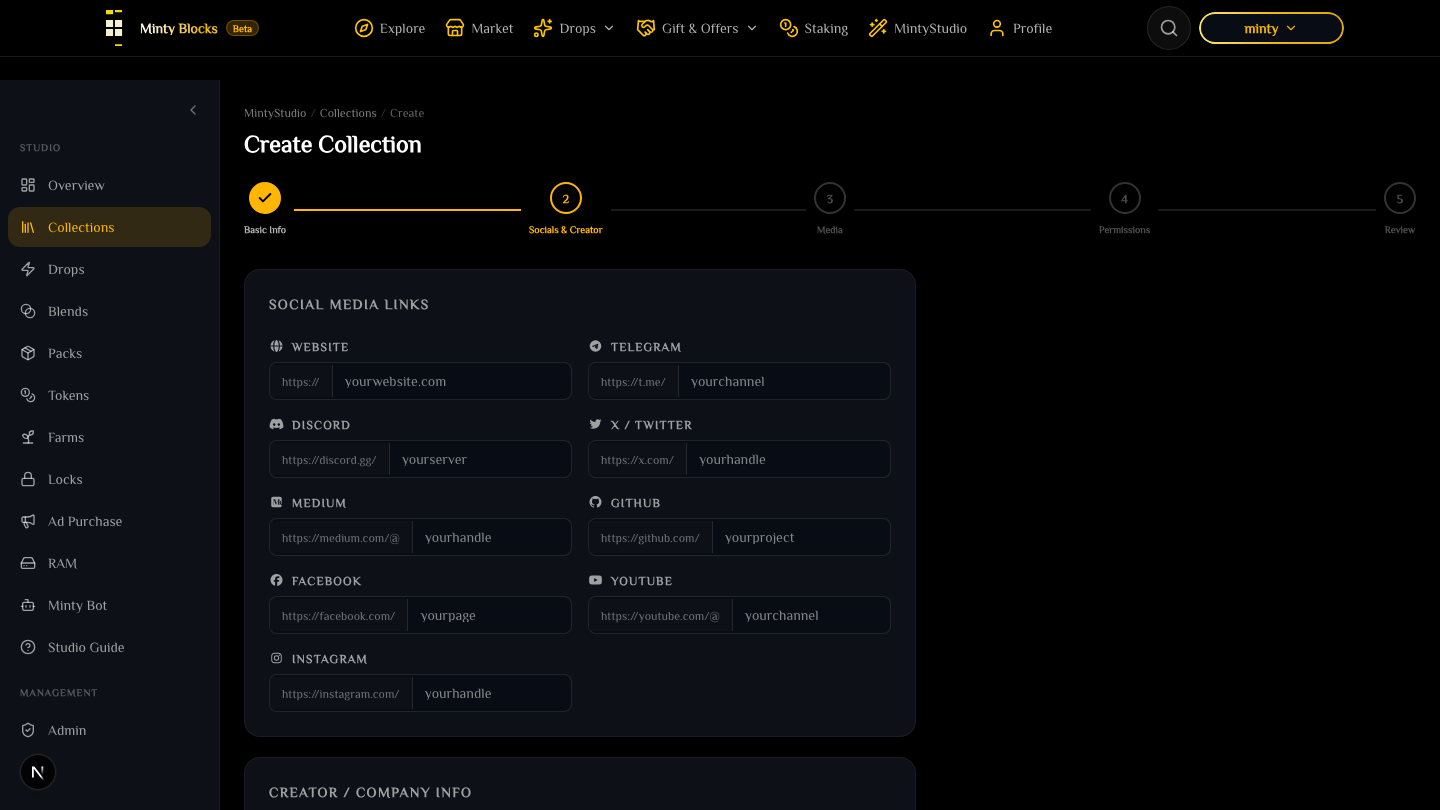
Collection wizard step 2: Socials & Creator— tap to enlarge - 3
Media Assets
Upload your logo and banner. Images are pinned to IPFS for decentralized, permanent storage — you can upload a file or paste an existing IPFS CID.
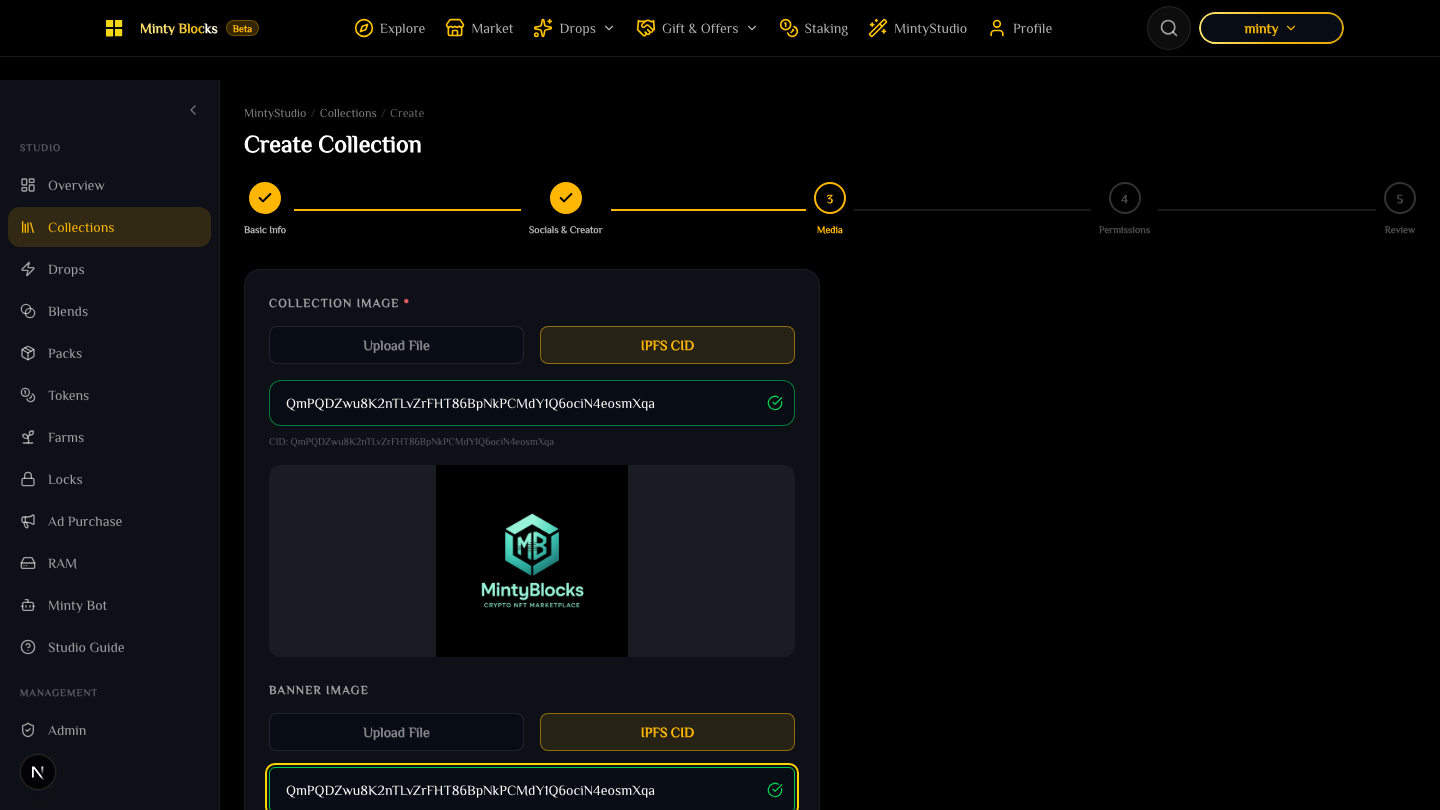
Collection wizard step 3: Media Assets— tap to enlarge - 4
Permissions
Authorize the pre-deployed MintyBlocks contracts (blend.minty, drop.minty, pack.minty) to interact with your collection, and add the WAX accounts allowed to create schemas and mint NFTs.
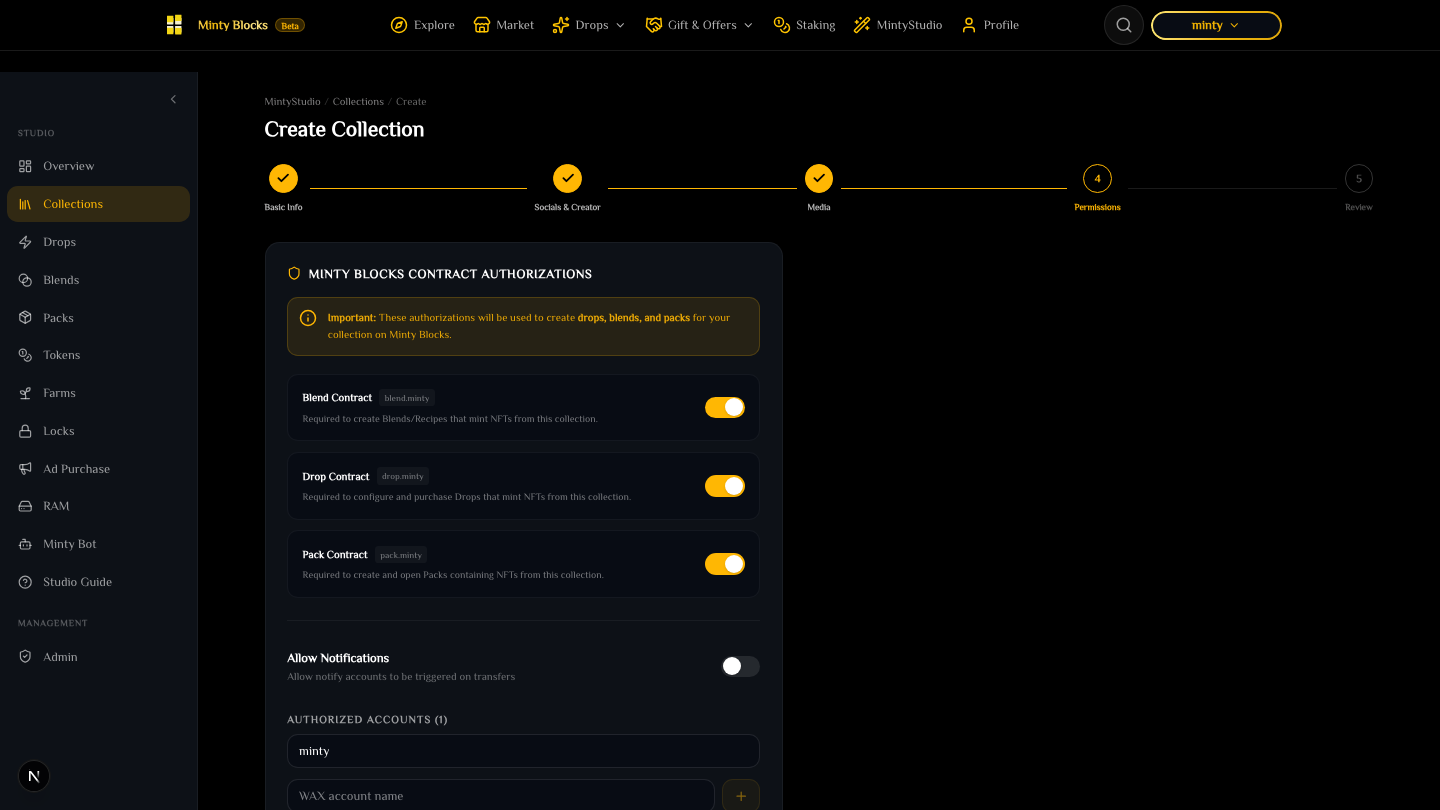
Collection wizard step 4: Permissions— tap to enlarge - 5
Review & Create
Review every parameter — basic info, creator info, social links, authorized accounts, contracts, and images — then click Create to sign the transaction in your WAX wallet.
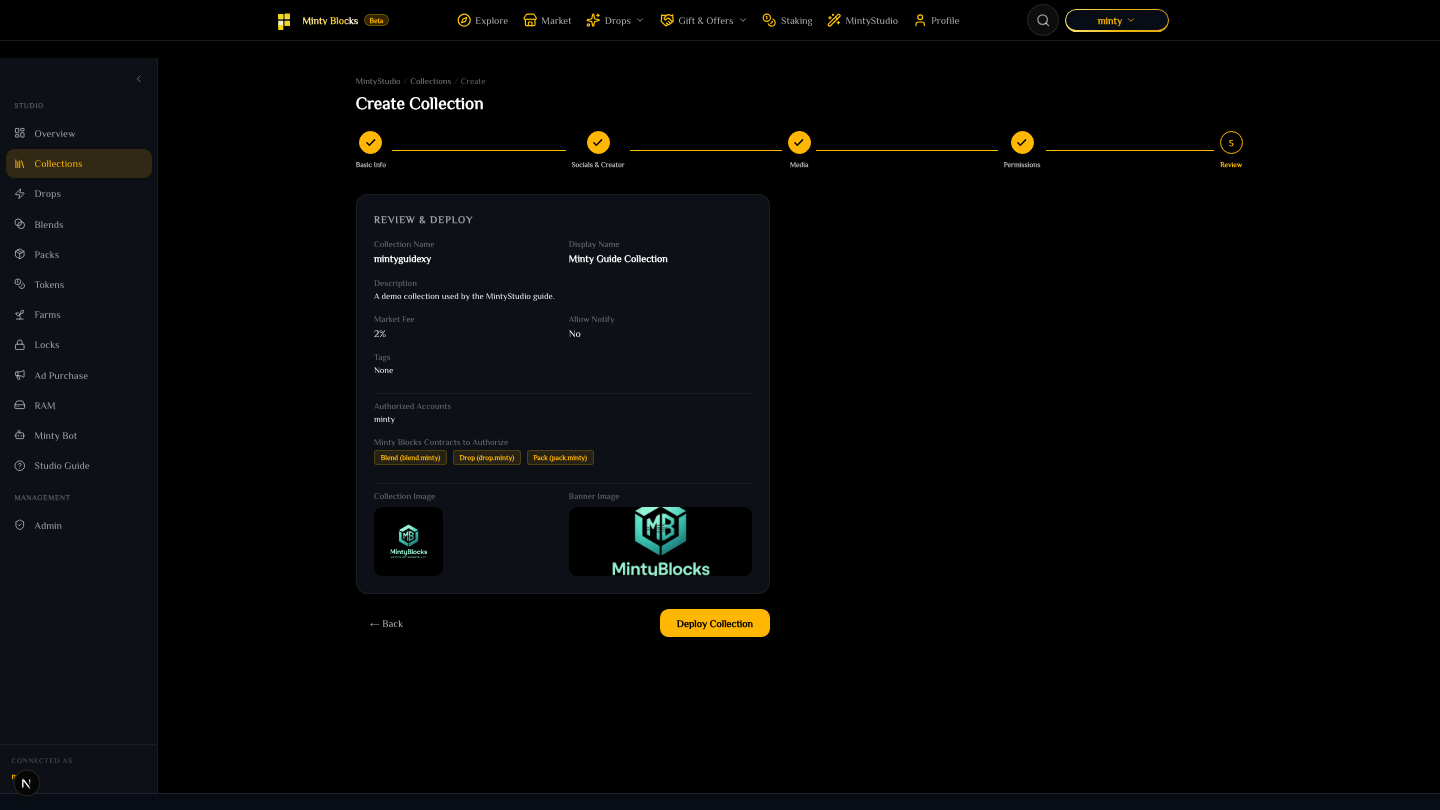
Collection wizard step 5: Review & Deploy— tap to enlarge
Contract authorizations
Before using advanced features you must authorize the modular contracts on your collection: blend.minty (crafting recipes), drop.minty (primary drop mints), and pack.minty (randomized packs). You can manage these anytime from Collection Settings.
Ready to try it?
Open MintyStudio and start building on WAX.
Related guides
Looking for general questions instead? Visit the MintyBlocks FAQ · All MintyStudio guides