Promote Your Drops with Homepage Ads
Buy a homepage banner slot with MINTY to promote a drop, blend, or collection to marketplace visitors.
Creators can buy homepage banner slots with MINTY tokens. The banner is shown on the marketplace homepage to promote a drop, blend, pack, or collection. There are TWO concurrent slots, so two advertisements can run at the same time — availability is checked per slot for the exact date range you ask for.
Step by step
- 1
Fill in the advertisement
MintyStudio → AD PURCHASE. Enter a title and a description (up to 500 characters) — the homepage banner highlights the first two words of your title in orange. Add the NAVIGATION LINK, the exact page a visitor lands on when they click the banner: your drop, blend, pack or collection. Then add the banner media. You can either UPLOAD FILE or paste an IPFS CID you already have, and the accepted formats are shown on the drop zone itself: 696×402, JPG/PNG/WebP up to 2MB, GIF up to 4MB, or MP4/WebM up to 8MB and 20 seconds. Pick the matching IMAGE / GIF / VIDEO type — the banner renders as a video element for video, so a mismatch shows nothing.
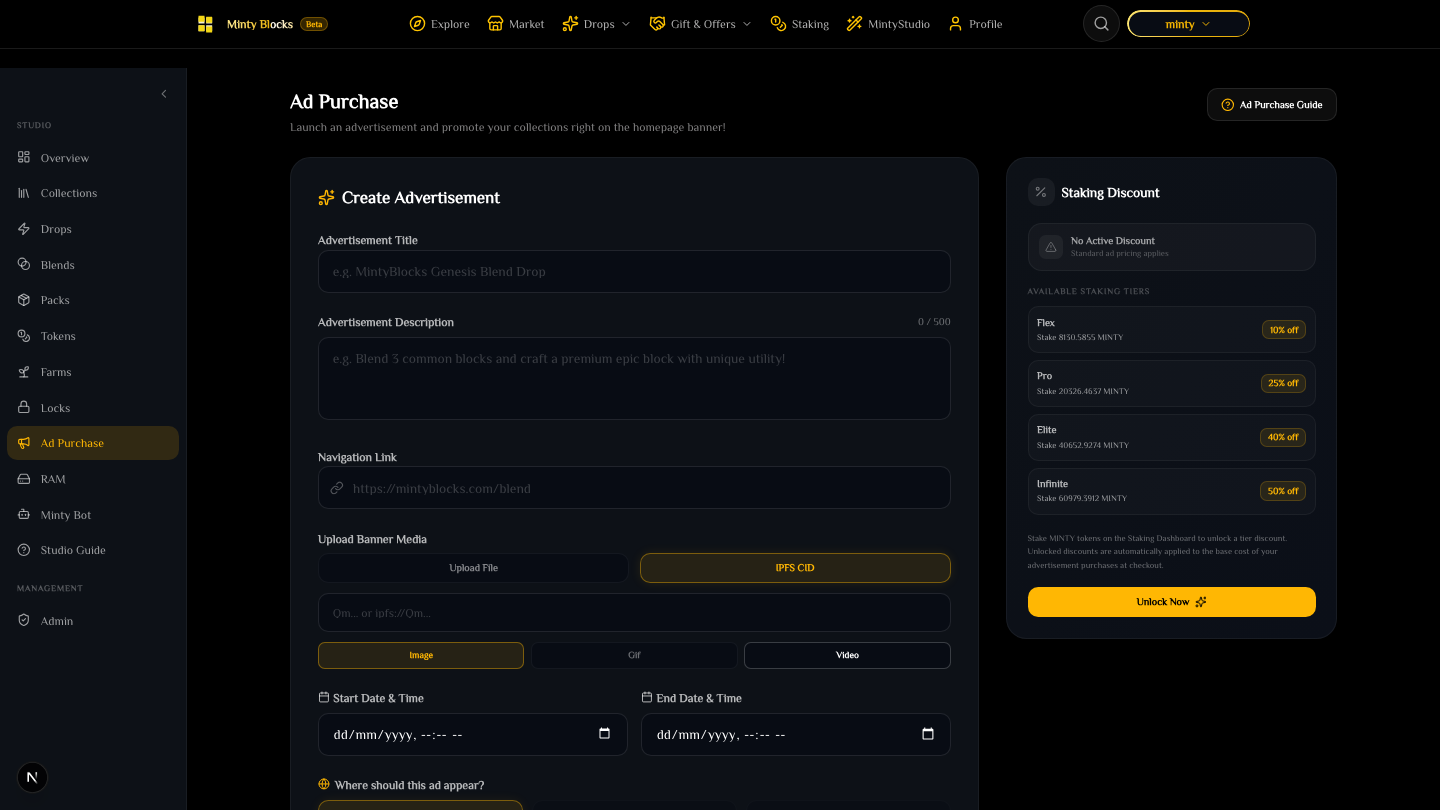
The Ad Purchase form with title, description, navigation link and the banner media upload, beside the live Staking Discount panel— tap to enlarge - 2
Schedule it and choose where it runs
Pick a START and END date and time. Availability is checked against existing bookings for that exact range across the two slots, so a clash is reported before you pay rather than after. Below the dates, WHERE SHOULD THIS AD APPEAR? sets the placement. WAX ONLY is the option available today; BNB ONLY and BOTH (+50%) are shown as SOON and stay disabled until cross-platform advertising is configured on the server — the page says so directly beneath the choices, so you are never guessing whether it is broken or simply not switched on yet.
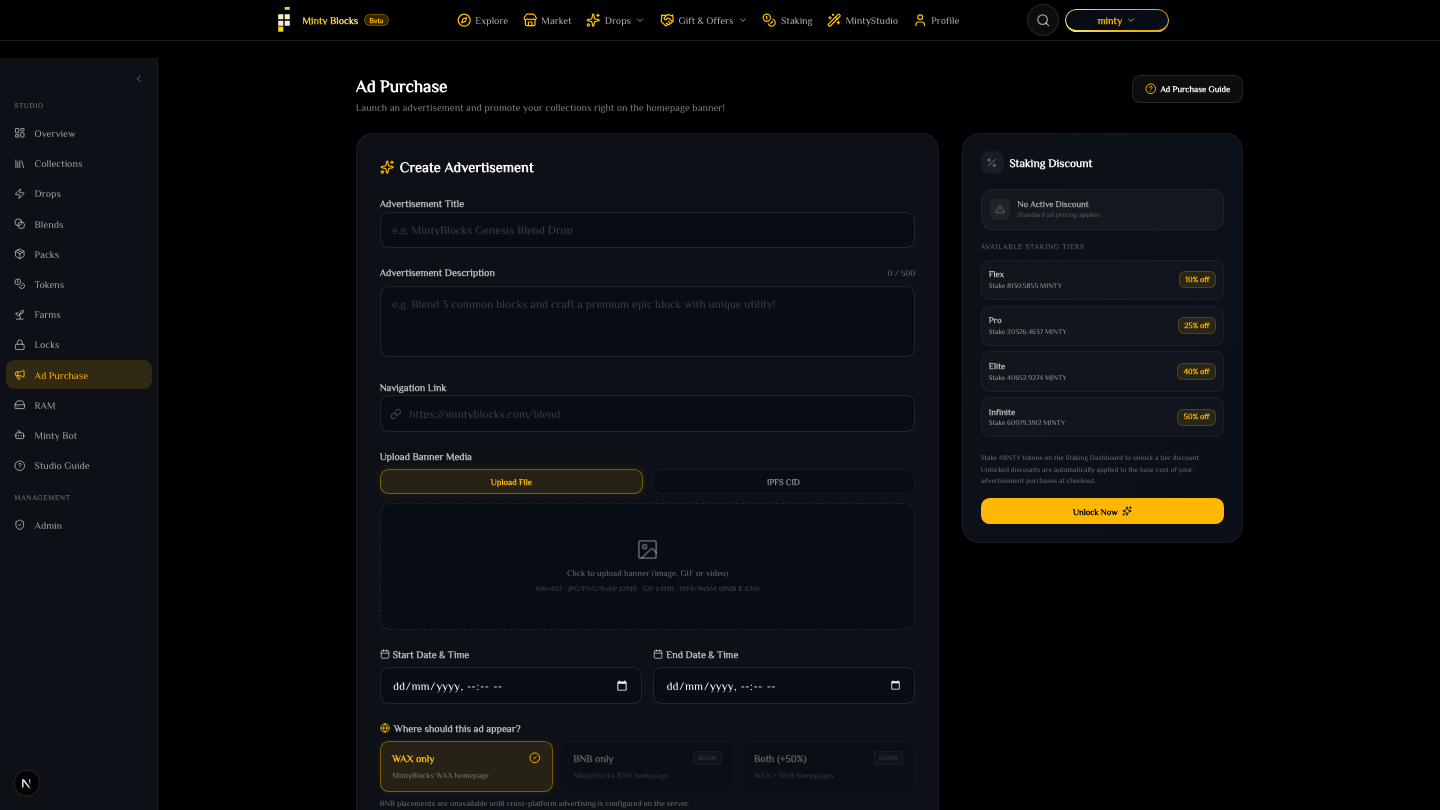
Start and end date fields above the placement selector, with WAX only selected and BNB only and Both marked Soon— tap to enlarge - 3
Pay in MINTY
The cost is the number of slot periods times the base price, less your staking discount. Payment is a MINTY transfer that the server verifies against the chain before the advertisement is recorded — the booking is confirmed by the transfer landing, not by the click.
Staking discounts
Creators staking MINTY receive an automatic discount on ad purchases, applied to the base cost at checkout. The tiers run FLEX, PRO, ELITE, INFINITE in increasing order, and the panel beside the form shows YOUR current discount together with the MINTY stake each tier requires — read it there rather than from any fixed number, because the tier thresholds and percentages are configured server-side and do change. If you hold stakes qualifying for several tiers, the best discount is the one applied.
Two slots, booked by date range
A slot has to be free for the ENTIRE range you asked for. If a slot is taken for even one day inside your range, that slot cannot take the booking at all — shift your dates or take the other slot.
Ready to try it?
Open MintyStudio and start building on WAX.
Related guides
Looking for general questions instead? Visit the MintyBlocks FAQ · All MintyStudio guides